Content Presentation
Deadline: Tuesday, March 3, 2026.
Plagiarism is theft and is unacceptable. It undermines creativity, damages intellectual integrity, and destroys the purpose of learning. This also applies to contract cheating (opens in a new tab) and the mindless use of chatbots/agents.1



Requirements
Content
The content is about an imagined future company of your choice: its profile, services, and team. You can efficiently generate such text content using one of the many freely-available large-language model services such as Claude (opens in a new tab), Gemini (opens in a new tab), Chat (opens in a new tab), Perplexity (opens in a new tab), and Grok (opens in a new tab). Do not copy and use the reference text in your implementation, nor use placeholder text. Make it your own!
Structure
Save the generated text under content.txt and use it as a source to handcraft the HTML content of the pages. The content should be manually structured using semantic (opens in a new tab) tags (POSH: Plain Old Semantic HTML) and proper identifiers and classes when needed. One good technique to test your semantic/accessible structure is to use a text-based browser such as w3m (opens in a new tab) and lynx (opens in a new tab) to view your pages.
Navigation
There are three pages in total: Home (index.html), Services (services.html), and Team (team.html), hyperlinked to each other using a navigation bar inside the header. The current page will have an identifier or class applied to its corresponding anchor, or one of its parent elements, so that it can be presented differently later on.
Every page will have a navigation list of social hyperlinks for at least six platforms inside the footer. The same header and footer will be reused across all three pages.
Media
The website must include six social icons in the footer, at least eight photos/illustrations in the front page gallery, and at least four avatars for the team members. Check the Links → UI/XD section for a list of media resources.
The reference design uses social icons from Tabler (opens in a new tab), gallery illustrations from Storyset (opens in a new tab), and avatars from Limitless Designs (opens in a new tab). You can reuse these freely-available assets in your implementation.
Presentation
Reset
A reset stylesheet (opens in a new tab) is used to ensure a consistent presentation baseline across browsers and platforms. Download and import this reset.css (opens in a new tab) stylesheet.
@import url("reset.css");Palettes
A palette is used to define the colors, which will then be used in style declarations throughout the stylesheet. This makes styling more consistent, theming easier, and is generally good practice. Use custom properties (opens in a new tab) (cascading variables) to declare the palettes and the colors needed. You need to use six colors for the reference design: text, background, backfill, link, link-hover, and link-active.
The palettes can be generated using UI Colors (opens in a new tab) and exported to custom properties. There are a dozen of predefined palettes (opens in a new tab) that you can mix and match to your liking, for example, colors from Lime + Zinc, Indigo + Slate, or Scarlet + White, which were used in the reference design.
:root {
  /* color palette using custom properties (cascading variables) */
  --scarlet-400: #ff6932;

  --color-link: var(--scarlet-400);
}

a {
  color: var(--color-link);
}
Note that custom properties can be used to store almost any kind of (reused) value, but cannot be used in media query conditions.
Styles
Two custom typefaces (opens in a new tab) are used: one for the body, and another for the headings, header, and hashtags. You can import and use free font families from Google Fonts (opens in a new tab), and look on Fontpair (opens in a new tab) for typeface pairings that work well together. The typefaces and from Fontshare (opens in a new tab) were used in the reference design.
Values in em/rem (opens in a new tab) are used for horizontal and vertical measurements so that the overall design scales correctly relative to the base font size.
Selectors
All anchors are styled using a different color when they are hovered over or when they are active. This behavior can be implemented using the :hover and :active pseudo-classes. The active anchor in the navigation bar will have a different hover color than the rest, since it has a different background color.
The borders surrounding the headings can be dynamically inserted using the ::before and ::after pseudo-elements and a grid layout with a linear gradient (opens in a new tab) border color applied to their content.
Themes
A media query is used to detect which theme, light or dark, is active and to set the colors accordingly.
@media screen and (prefers-color-scheme: light) {
  :root {
    --color-link: var(--scarlet-400);
  }
}

@media screen and (prefers-color-scheme: dark) {
  :root {
    --color-link: var(--scarlet-500);
  }
}

a {
  color: var(--color-link);
}
A transition on all properties enables smooth theme switching.
body {
  transition: all ease 250ms;
}
Layout
Mobile-First
A mobile-first design (opens in a new tab) approach is used where the page is first designed for the smallest (mobile) viewport, then progressively enhanced (opens in a new tab) for larger viewports.
The main content and footer are constrained to a minimum width of 400px and a maximum of 800px, while the header can span the whole viewport. These measurements include the border and padding when using border-box (opens in a new tab) sizing (opens in a new tab), but not the margin.
Patterns
The reference design uses a mix of nested flexible boxes and grids. The following patterns are used to lay out the different parts:
- Pancake stack (opens in a new tab) pattern for the body.
- Line up (opens in a new tab) (horizontal) pattern for the header.
- Sidebar says (opens in a new tab) pattern for the footer.
- RAM (opens in a new tab) pattern for the photo gallery and team cards. Note that the grid items do not all stretch to equal height.
The holy grail (opens in a new tab) layout is another pattern worth looking into but we are not using it in this assignment.
Responsiveness
A viewport width media query is used to override some properties of certain elements and achieve a responsive design. A breakpoint of 600px differentiates between a small (mobile) viewport, with a width smaller than 600px, and a medium+ viewport with a width larger than or equal to 600px. The overridden properties apply to the medium viewport.
@media screen and (min-width: 600px) {
}
The following properties are overridden in the medium+ viewport:
- A modified flexible box for the header.
- A modified grid for the footer.
- A modified grid for the team member cards.
- Larger text and different text alignment in the header.
- Visible spans of text in the contact link.
- Visible spans of text in the social links.
Responsive images that scale with their container are used in the gallery and team card avatars.
Boilerplate
You must handcraft your code. Look for and use tools that enhance and streamline the process of writing code and developing applications. Formatters and linters are the bare minimum.
<!DOCTYPE html>
<html lang="en">
  <head>
    <title></title>
    <meta charset="UTF-8" />
    <meta name="viewport" content="width=device-width, initial-scale=1.0" />
    <link rel="stylesheet" href="styles/global.css" />
  </head>
  <body>
    <header>
      <h1></h1>
      <nav></nav>
    </header>
    <main>
      <section>
        <h2></h2>
      </section>
      <section></section>
      <section></section>
    </main>
    <footer></footer>
  </body>
</html>@import url("./reset.css");
:root {
}
@media screen and (prefers-color-scheme: light) {
}
@media screen and (prefers-color-scheme: dark) {
}
* {
box-sizing: border-box;
}
@media screen and (min-width: 600px) {
}Reference
Here is a collection of screenshots for all pages, shown in small/medium/large viewports with light/dark themes. You can scroll vertically through each image or click on it to open its scalable counterpart.





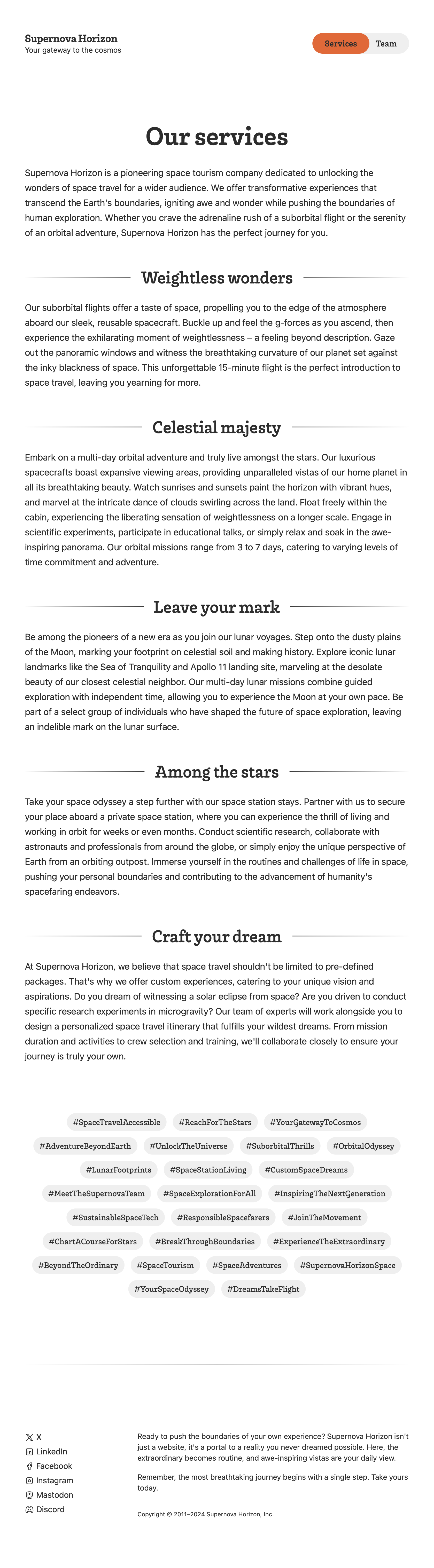
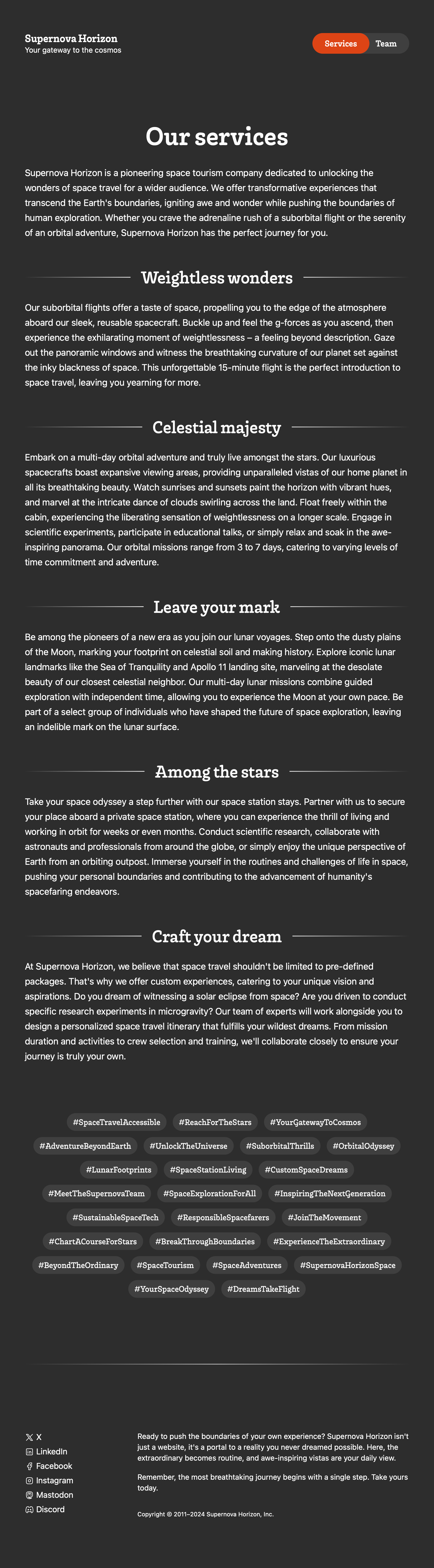
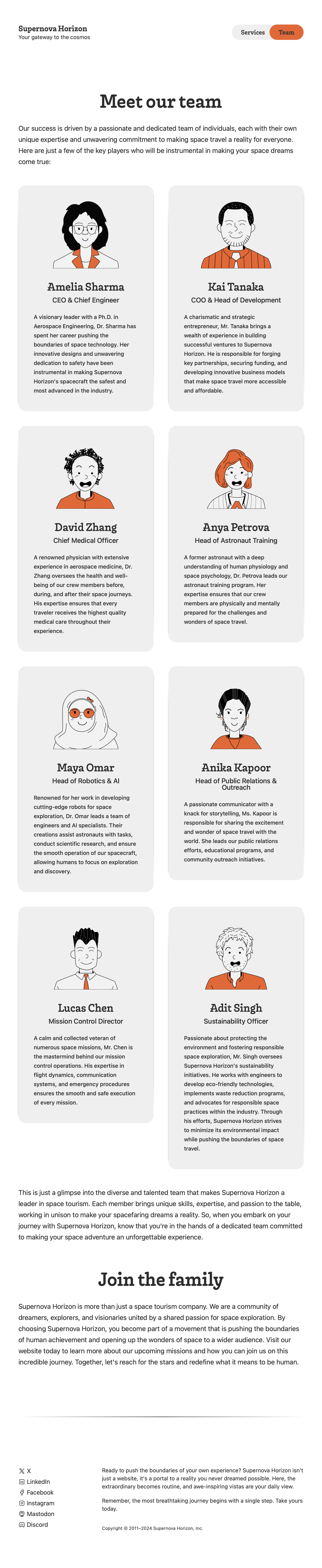
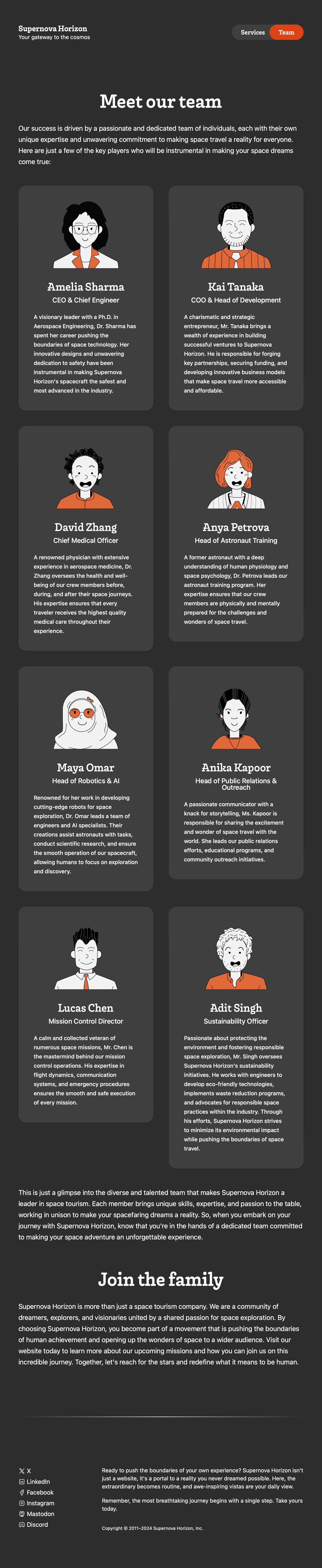
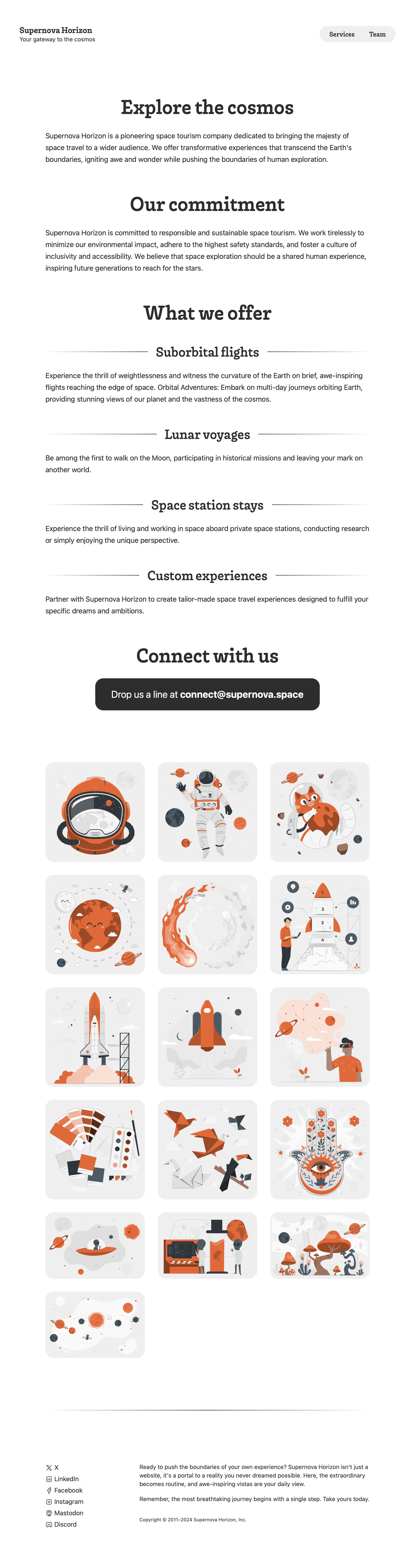
The border artifacts around the team cards are actually shadows that are not being rendered correctly, because the PDF 1.4 specification lacks native support for shadows.
Guidelines
- Push your solution to your private repository under
assignments/01-content-presentation. - Commit often and use meaningful message summaries and descriptions.
- Complete your work before the deadline; no late submissions.
Codebase
The following structure should be used to organize the codebase. There is no need to create additional top-level directories or files, but more can be created under fonts and media.
home-lg-light.pnghome-md-dark.pnghome-sm-light.pngservices-md-dark.pngservices-sm-light.pngteam-md-dark.pngteam-sm-light.png
global.cssreset.css
content.txtindex.htmlreadme.mdservices.htmlteam.html
Report
Include screenshots of the pages in small/medium/large viewports and
light/dark themes under results and push them along with the assignment.
Complete the readme.md report and push it along with the assignment.
# Report

Xane Doe [email protected]

## 1 Content Presentation

| Task           | Done? | Comments             |
| :------------- | :---- | :------------------- |
| Content        | [ ]   |                      |
| Structure      | [ ]   |                      |
| Navigation     | [ ]   |                      |
| Media          | [ ]   |                      |
| Presentation   | [ ]   |                      |
| Reset          | [ ]   |                      |
| Palette        | [ ]   |                      |
| Styles         | [ ]   |                      |
| Selectors      | [ ]   |                      |
| Theme          | [ ]   |                      |
| Layout         | [ ]   |                      |
| Mobile-First   | [ ]   |                      |
| Flex           | [ ]   |                      |
| Grid           | [ ]   |                      |
| Patterns       | [ ]   |                      |
| Nesting        | [ ]   |                      |
| Responsiveness | [ ]   |                      |
| Screenshots    | [ ]   |                      |
| Report         | [x]   | Markdown is the way. |
| Plagiarism     | [ ]   |                      |
Rubric
| Task | Points | Details |
|---|---|---|
| Content | +25 | Semantic Structure, Navigation, Media |
| Presentation | +35 | Reset, Palettes, Styles, Selectors, Themes |
| Layout | +40 | Mobile-First, Flex, Grid, Patterns, Responsiveness |
| Screenshots | +5 | Small, Medium, Large, Light, Dark |
| Quality | +5 | Clean, structured, well-organized, indented code |
| Report | -20 | Evaluation, Comments |
| Plagiarism | -∞ | |
| Total | 100 |
Footnotes
-
Student Code of Conduct (opens in a new tab) / Article (6) — لائحة السلوك الطلابي (opens in a new tab) \ المادة (٦). ↩